 Pikslovo
Every story
in your language.
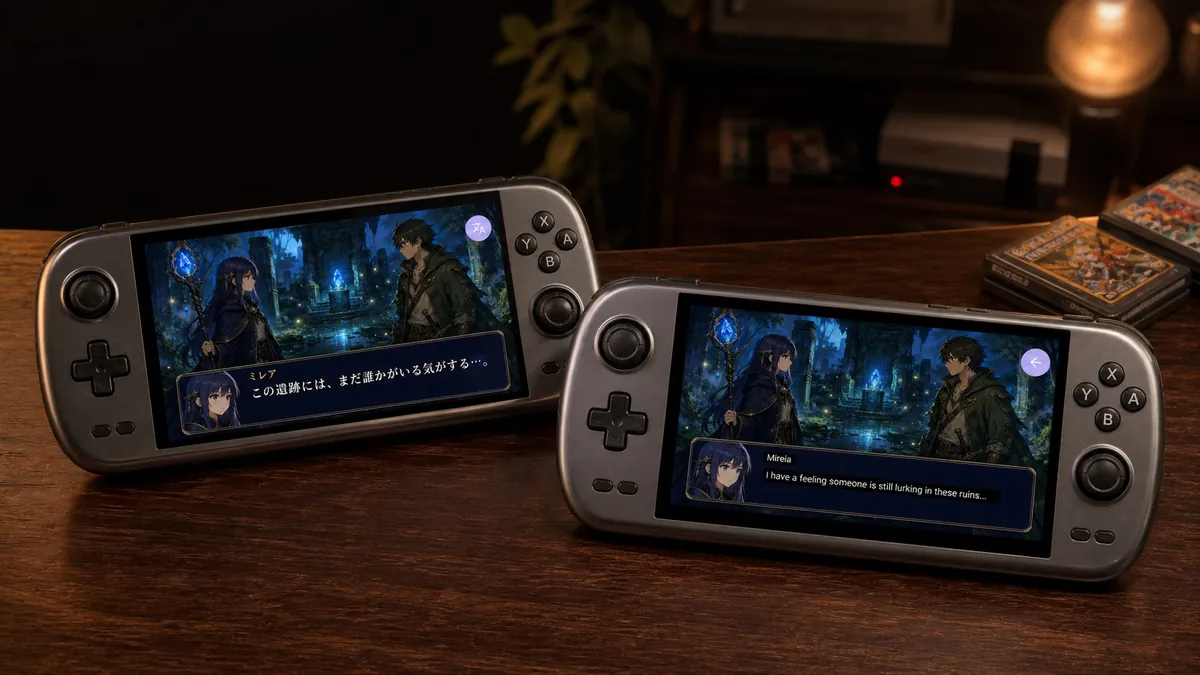
Pikslovo translates text exactly where you see it. A game, app, comic, or book — you don’t need to know the language to enjoy the whole story.
Free · open source · no ads, no account
Needs your own Google Cloud API key — what that means
Full screen or
a selected region.
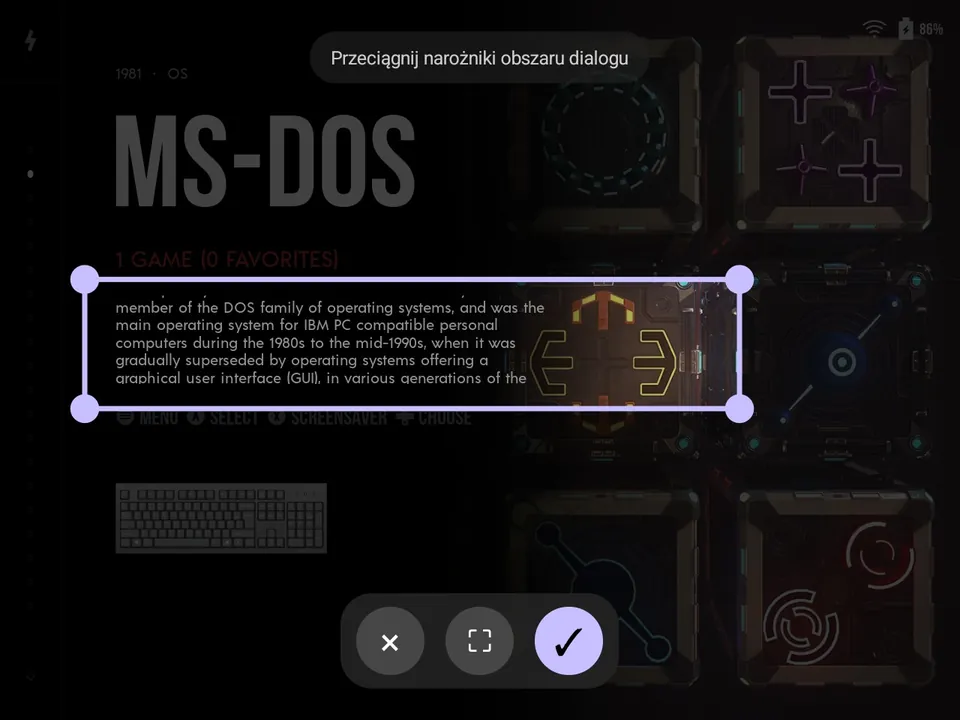
Call Pikslovo whenever you want. Freeze a frame, select just the dialogue, or translate the entire screen. The result appears on the same image, so the context always stays in place.


Don’t translate everything.
Translate what matters.
When you only care about one sentence, draw around it with your finger. Pikslovo crops the selection and lays the finished translation over it — the rest of the screen stays untouched.
Lots of text?
Translate the whole screen.
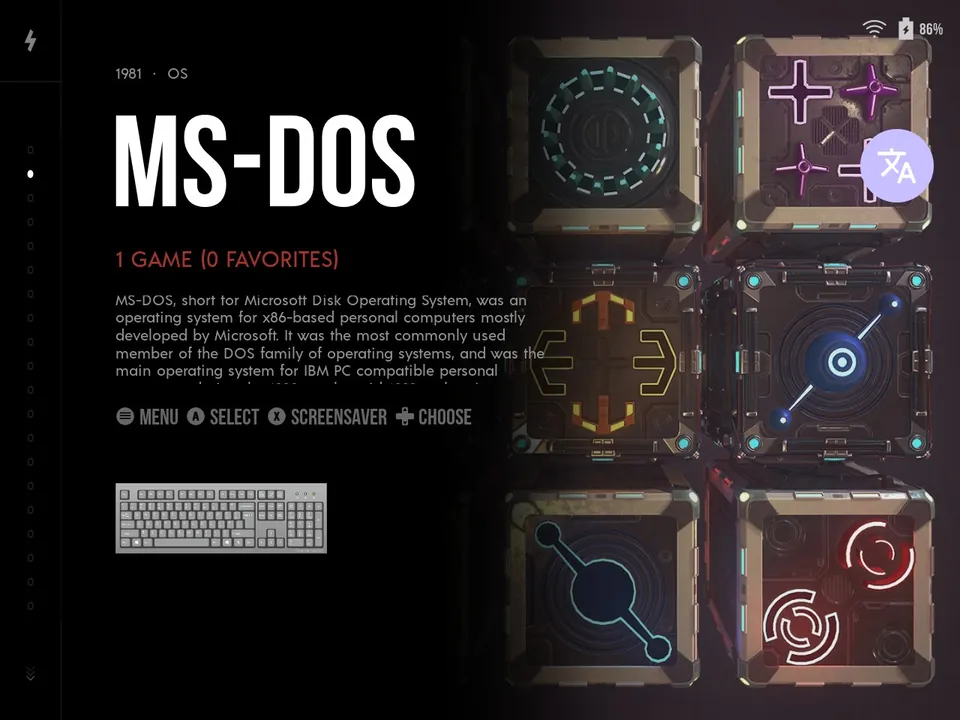
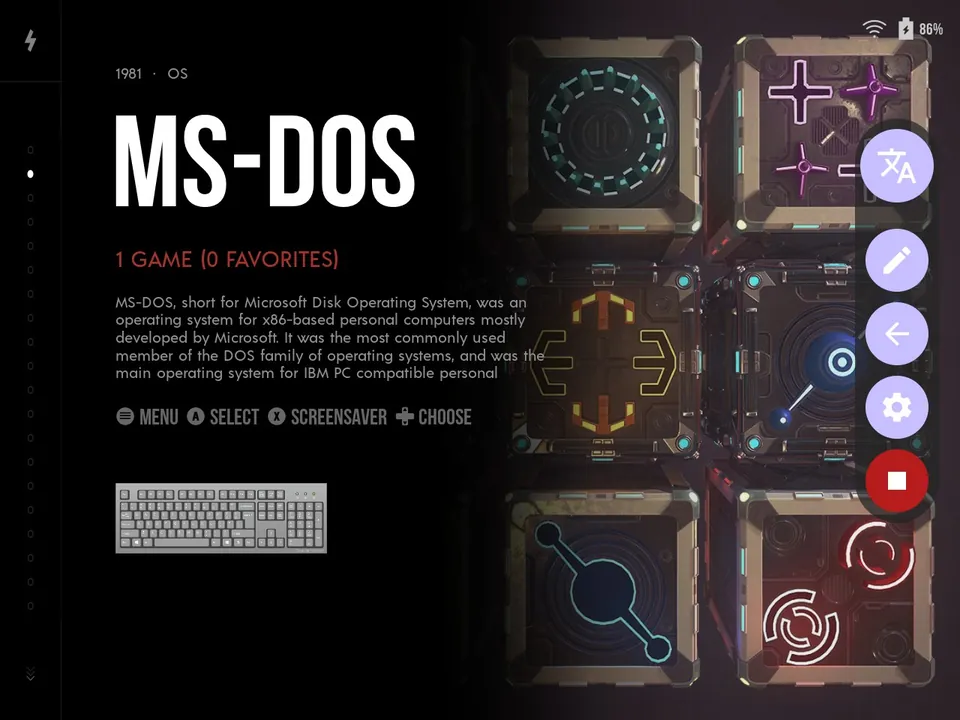
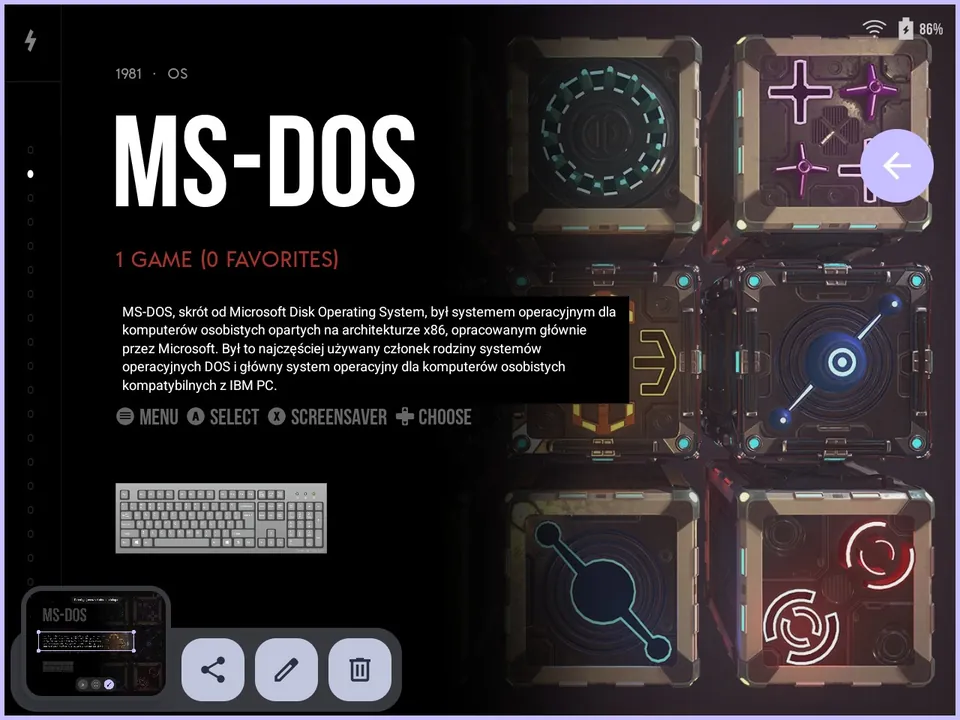
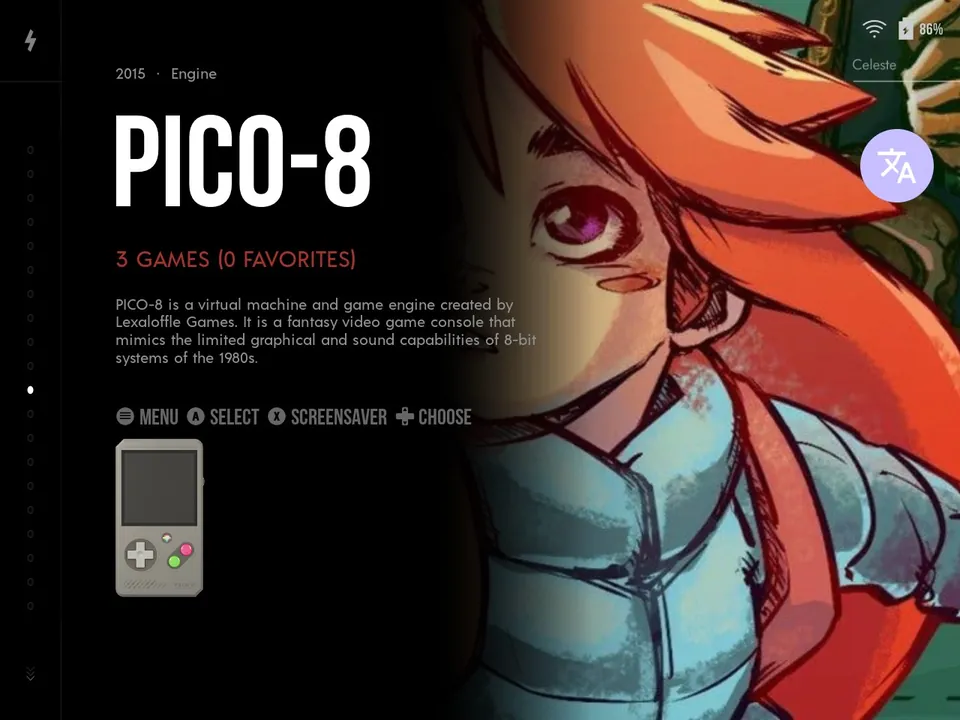
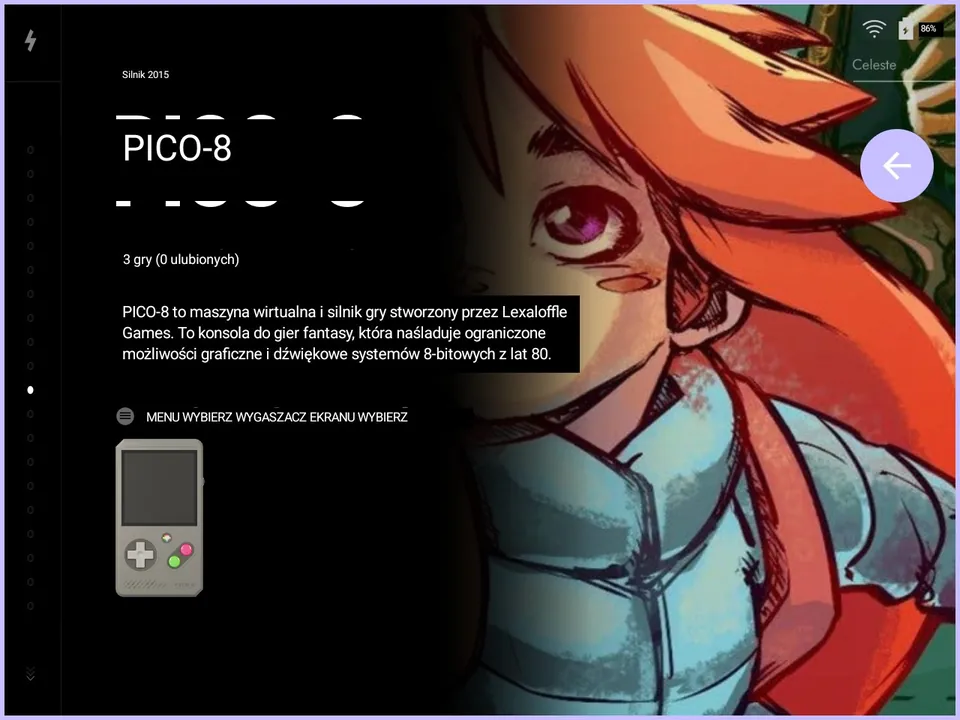
System descriptions, emulator menus, settings screens — full-screen mode translates everything at once. It works in games, frontends, and any other app Android shows on screen.
Small app.
A lot of freedom.
Your key, your rules
Add your own Google Cloud API key. No middlemen, user accounts, or someone else’s infrastructure. The key is encrypted on the device with Android Keystore.
Zero ads
No banners, tracking, or demands for your attention. Translation runs only when you ask for it.
Lightweight and open
Minimal dependencies, and GPL-3.0 source code available to everyone on GitHub.
Simple where
it should be simple.
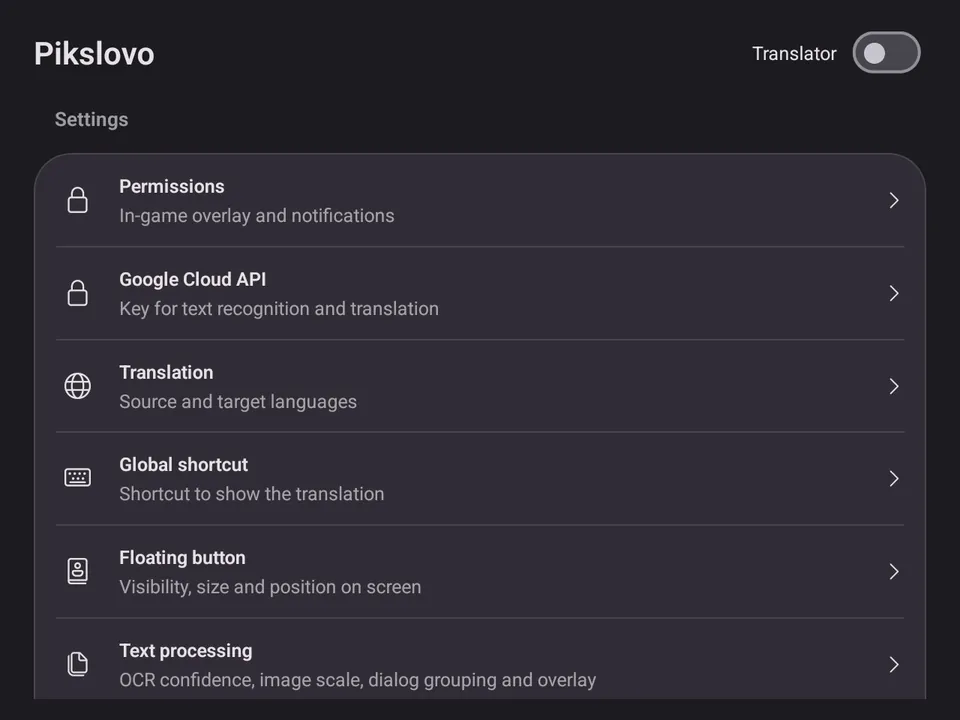
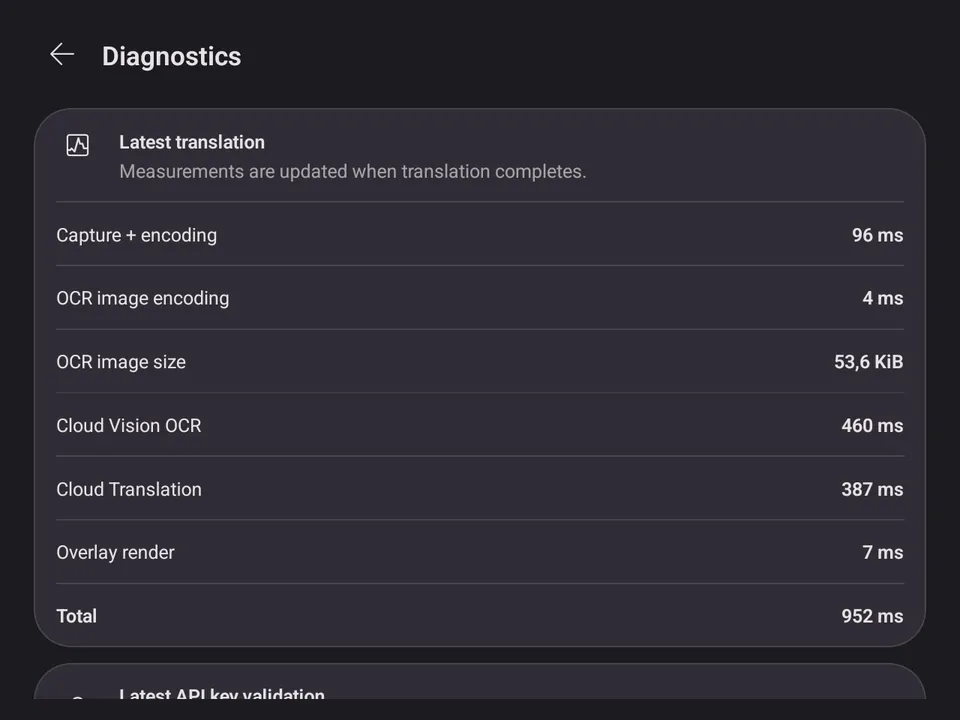
Set the overlay appearance, app language, button behaviour, and text-recognition parameters. No getting lost in dozens of screens — and the diagnostics screen shows how long each step of a translation takes.
Three steps
to your first translation.
No store, no account. Pikslovo is free; text recognition and translation are billed by Google directly to your own Google Cloud project.
-
Download the APK
The latest build from GitHub Releases, for Android 12 or newer. Android will ask you to allow installs from that source. Tested on an ANBERNIC RG 477M (GammaOS) and a Samsung Galaxy S21 FE.
Download APKPrefer automatic updates?
Add to Obtainium -
Add a Google Cloud key
Create a project with billing enabled, turn on Cloud Vision API and Cloud Translation API, then paste the key into the app’s settings. Google bills usage to your project.
-
Call up a translation
Start a session, open your game, and tap the floating button. You can also map a global hotkey to a physical button — it needs the accessibility service, and Android doesn’t pass through every device button.
Don’t let language
stop you halfway through the story.
Take Pikslovo anywhere you run into text you want to understand.
Android 12+ · your own Google Cloud API key · no account
Pikslovo is free. If it helps you, buy us a coffee on Ko-fi ↗